
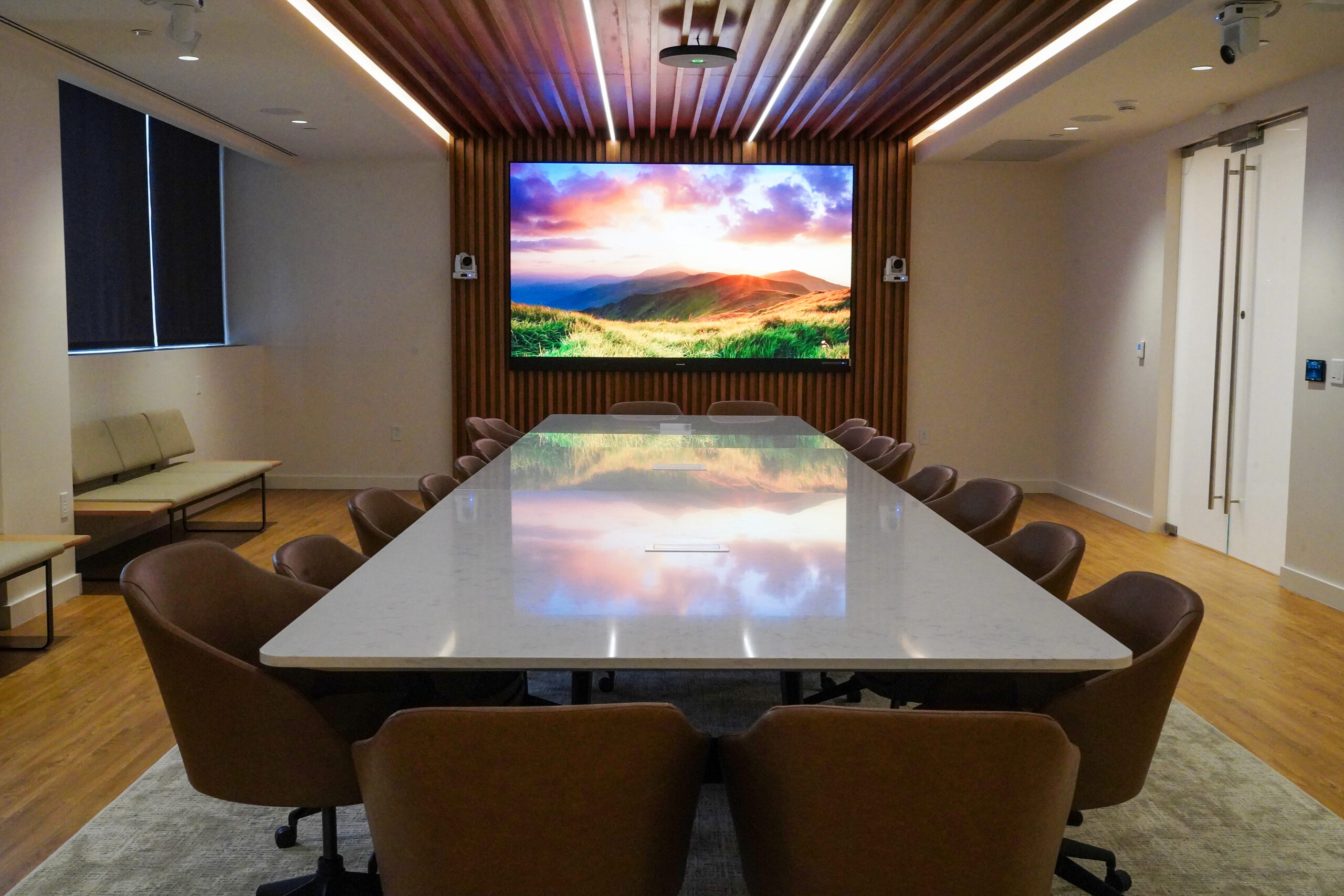
The modern boardroom is no longer simply a polished room with a large display, conference table, and speakerphone. For companies in Central and North Jersey, it has become a carefully engineered environment where cameras, microphones, displays, networks, lighting, room acoustics, and collaboration software have to work together without distracting from the meeting itself.
That is the central challenge of corporate office AV design New Jersey businesses now face: creating spaces that work equally well for people sitting around the table and colleagues joining from somewhere else.
The strongest systems do not necessarily contain the most equipment. They are designed around how people actually meet. A boardroom might need intelligent camera tracking for a 15-person leadership discussion, AV-over-IP infrastructure for flexible content distribution, acoustic treatment to prevent echoes, and automated controls that allow a meeting to begin with minimal technical intervention.
For executives planning an office renovation or relocation, the question is no longer simply, “What technology should we install?” It is, “What infrastructure will make the room useful five years from now?”
What Corporate Office AV Design in New Jersey Needs to Solve
Hybrid work has changed the definition of a successful meeting room.
In a traditional conference room, the technology primarily served people who were physically present. A display showed a presentation, microphones amplified voices, and perhaps a camera connected the room to a remote participant.
Today’s room has a more demanding job. A remote executive needs to see who is speaking, understand what is being presented, hear conversations from different ends of the table, and participate without constantly asking, “Can you hear me?”
That makes corporate office AV design New Jersey projects less about individual devices and more about system architecture.
Camera placement affects microphone placement. Microphone coverage affects acoustic treatment. Display locations affect sightlines. Network architecture affects how video is distributed. Even the position of a conference table can influence whether a camera can frame participants effectively.
Microsoft’s current meeting-room guidance, for example, recommends planning camera coverage before selecting audio equipment and emphasizes appropriate camera placement, participant sightlines, microphone coverage, and calibration.
The lesson is straightforward: AV should be considered during the architectural planning stage, not added after the room has already been built.
AI Cameras Are Changing How Remote Participants Experience the Boardroom
One of the most visible changes in executive meeting technology is the move from fixed cameras to intelligent camera systems.
A conventional camera may show the entire room from one position. That can work for a small meeting, but it often produces a remote experience in which people appear tiny or partially obscured.
AI-enabled cameras can take a more active role. Depending on the system, they may use intelligent framing, speaker tracking, multiple video streams, or other image-processing capabilities to create a more useful view for people joining remotely.
Microsoft’s Teams Rooms documentation describes intelligent camera capabilities such as active-speaker tracking, group framing, and multi-stream experiences. Its IntelliFrame technology can also create individual views of people in a room rather than forcing remote participants to watch a single wide shot.
For a New Jersey executive boardroom, that can make a meaningful difference. Instead of seeing six people sitting around a table and trying to determine who is talking, a remote participant can receive a tighter view of the active speaker or a more useful representation of the room.
But AI should solve a communication problem, not become a gimmick.
A camera that constantly moves, frames the wrong person, loses sightlines, or behaves unpredictably can be more distracting than a fixed camera. Design teams should therefore evaluate the room’s geometry, seating pattern, lighting, glass surfaces, and expected meeting style before deciding how much intelligence the camera actually needs.
There is also a privacy consideration. Features involving face or voice recognition may require organizational policies, notice, consent, and appropriate data-handling practices depending on how they are configured and used. Microsoft specifically warns organizations to consider applicable legal requirements when deploying face and voice recognition.
AV-over-IP Turns the Network Into Part of the Boardroom
Behind the cameras and displays is another major transformation: audiovisual systems are increasingly becoming network systems.
AV-over-IP sends audio and video through IP-based network infrastructure instead of relying entirely on traditional point-to-point connections and dedicated switching hardware. The approach can make it easier to distribute sources to multiple rooms, move content between endpoints, and expand a system as an organization changes.
AVIXA describes AV-over-IP as a shift toward network-based distribution that can provide greater flexibility and scalability across professional environments. It also notes that bandwidth, latency, security, quality of service, compression, and interoperability must be considered during implementation.
For a corporate headquarters, that matters because the boardroom is rarely an isolated room.
An organization may eventually want to route a presentation from an executive conference room to a training space. A company might need signage in a lobby, video distribution across multiple floors, or a central control environment for several meeting spaces.
A well-designed AV-over-IP architecture can support those scenarios without rebuilding the entire system every time the office changes.
But there is an important limitation: putting AV on the network does not automatically make the system better.
Bandwidth requirements, switch configuration, multicast traffic, latency, cybersecurity, device compatibility, and IT policies all become part of the equation. AVIXA notes that network constraints and security concerns can become significant implementation challenges, particularly when high-resolution video and enterprise infrastructure intersect.
That is why the strongest corporate office AV design New Jersey projects involve AV and IT teams early. The network should be treated as critical infrastructure, not simply a place to plug in AV equipment.
Acoustics Are the Invisible Technology of a Hybrid Meeting
Video gets most of the attention because executives can see the cameras and displays. Audio is often more important.
A participant may forgive a slightly imperfect camera angle. They are far less likely to tolerate a meeting where every sentence is followed by, “Sorry, could you repeat that?”
Boardrooms create several acoustic challenges. Hard glass walls, polished tables, drywall, ceilings, and other reflective surfaces can allow sound to bounce around the room. At the same time, an open office outside the room can introduce background conversations, HVAC noise, footsteps, and other distractions.
The result is often an audio problem that no microphone can completely fix.
Acoustic engineering therefore needs to happen alongside AV design. Absorption, diffusion, speaker placement, microphone selection, room geometry, and background-noise management all contribute to speech intelligibility.
ASHRAE guidance recognizes speech privacy as an important consideration in meeting rooms and other environments where conversations need to remain intelligible to intended listeners without becoming intelligible to unintended listeners.
This becomes particularly important in executive environments where meetings may involve financial information, personnel matters, legal discussions, or confidential strategy.
The best boardroom can be visually impressive while still failing acoustically. That is why corporate office AV design New Jersey should evaluate what the room sounds like, not just what it looks like.
Designing the Room Around People, Not Equipment
The most effective hybrid workspace begins with a deceptively simple question: How will people use the room?
A 20-person executive boardroom has different requirements from a 10-person collaboration room. A training room may prioritize presentation visibility and content sharing, while a client-facing conference room may prioritize camera composition and polished presentation.
This is where room design and AV design become inseparable.
Camera sightlines should account for the table shape and seating positions. Displays need to be visible without forcing participants to turn away from one another. Microphones need adequate coverage without becoming visual clutter. Controls should be accessible but not overwhelming.
The room should also accommodate different meeting modes.
A leadership team might use the space for an in-person discussion in the morning, a hybrid meeting after lunch, and a presentation later in the day. Flexible systems can allow the same room to support each scenario without requiring an AV technician to reconfigure the equipment manually.
For larger corporate environments, this philosophy can extend across multiple rooms. Standardized interfaces and consistent workflows reduce the learning curve for employees moving between spaces.
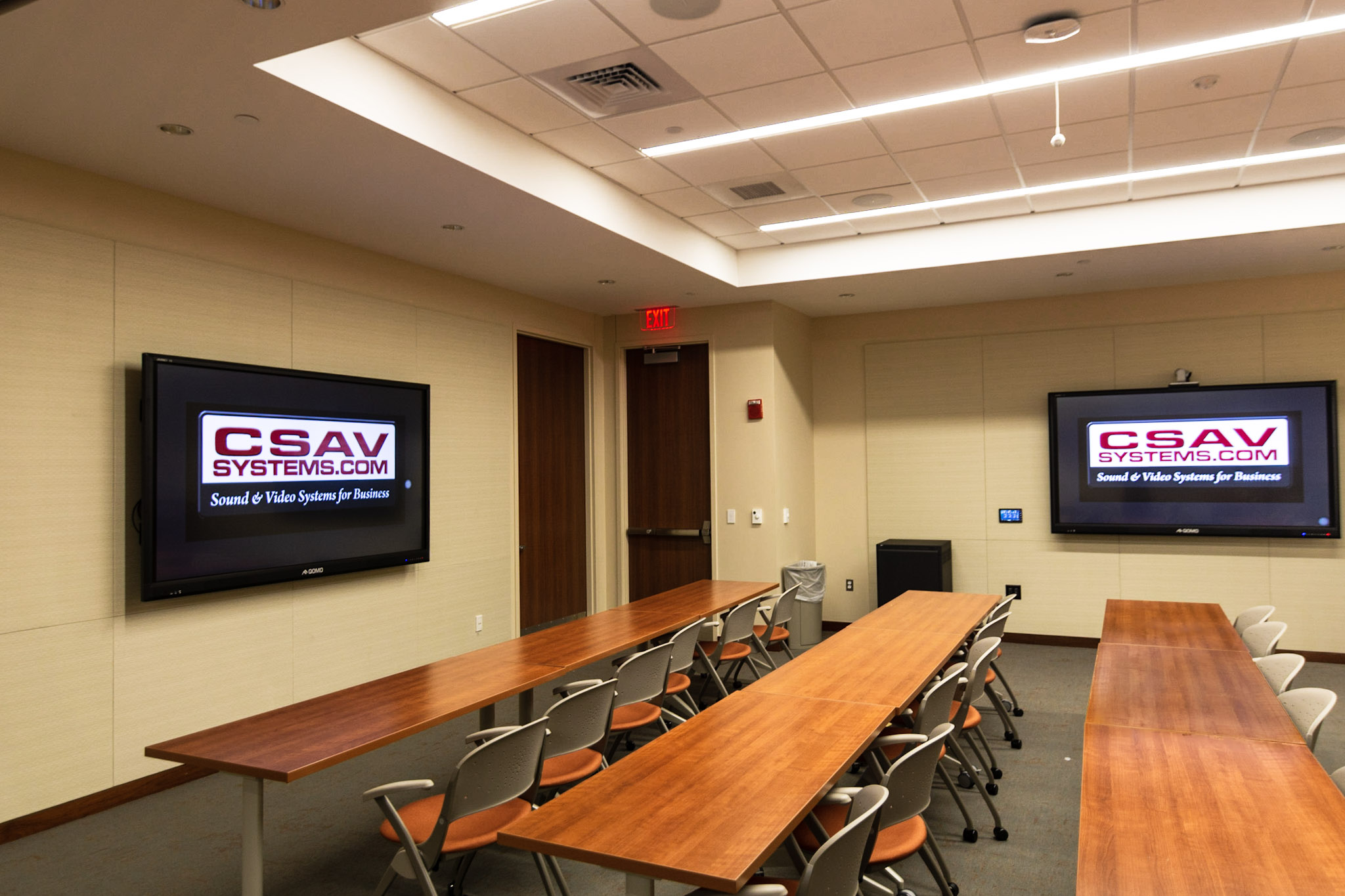
CSAV Systems, a New Jersey-based audiovisual integration company, has worked on corporate environments that combine executive conference rooms, training rooms, huddle spaces, and flexible collaboration areas. One New Jersey corporate headquarters project, for example, included an executive conference room, divisible collaboration spaces, a training room, huddle rooms, and a multipurpose area.
That kind of standardization is increasingly important as offices become less predictable.
The Boardroom Is Becoming Part of the IT Strategy
The old distinction between “AV” and “IT” is becoming harder to maintain.
A modern meeting room can contain network-connected displays, cameras, microphones, room-control processors, conferencing computers, wireless presentation systems, scheduling panels, and monitoring software.
Each device introduces another dependency.
For IT leaders, that means an AV project should include documentation, network requirements, security considerations, firmware management, access controls, and support procedures from the beginning.
AVIXA’s published standards include guidance covering areas such as AV rack design, audio performance, and documentation requirements. The organization emphasizes standards as a way to improve reliability, reduce complexity, and manage project risk.
For executives, this may sound like back-office detail. It is not.
A boardroom that looks excellent on opening day but becomes difficult to maintain is an expensive room with a short useful life. A system that can be documented, monitored, serviced, upgraded, and understood by internal teams is far more valuable.
This is also why organizations should think in terms of total cost of ownership rather than equipment price alone.
A Skeptical View: Does Every Boardroom Need AI and AV-over-IP?
Not necessarily.
Technology trends can make every new capability sound essential. A small eight-person conference room may not need multiple AI cameras, sophisticated AV-over-IP distribution, or a highly automated control system.
In some cases, a simpler system will be easier to operate and maintain, and therefore more valuable.
The right question is not whether a technology is considered “modern.” It is whether the technology solves a specific operational problem.
AI camera tracking makes sense when remote participants need better views of active speakers. AV-over-IP makes sense when an organization needs scalable distribution across multiple rooms or locations. Advanced acoustic treatment makes sense when speech clarity and privacy are critical.
Good corporate office AV design New Jersey is therefore not about maximizing technology. It is about matching technology to the room, the network, the users, and the organization’s future plans.
How New Jersey Companies Can Plan a Smarter Hybrid Workspace
Before approving a boardroom technology package, executives and facilities teams should evaluate the project as a complete system.
Start with the meeting experience. Identify who will use the room, how many people typically attend, how often remote participants join, and what kinds of content are shared.
Next, map the physical environment. Examine room dimensions, seating, lighting, glass, ceiling height, acoustics, display sightlines, and cable pathways.
Then address the technology infrastructure. Determine whether the network can support the proposed AV architecture and establish how devices will be secured, managed, monitored, and maintained.
Finally, test the finished environment from both sides of the meeting. Someone sitting at the boardroom table should be able to see and hear clearly. Someone joining remotely should receive an equally intelligible experience.
CSAV Systems New Jersey boardroom work illustrates why this integrated approach matters. Its Manasquan Bank executive boardroom project combined large-format displays, multiple conferencing cameras, microphones, ceiling speakers, custom controls, video conferencing, programming, and user training into one coordinated environment.
The important takeaway is not any particular piece of equipment. It is the system thinking behind it.
A modern hybrid boardroom is ultimately a communication environment. Its success is measured less by how impressive the equipment looks and more by whether people can enter a meeting, connect with one another, share information, and concentrate on the discussion without fighting the technology.
Frequently Asked Questions
1. What is corporate office AV design?
Corporate office AV design is the planning and integration of audiovisual technology within business environments, including conference rooms, boardrooms, training spaces, huddle rooms, and collaboration areas. It can include displays, cameras, microphones, speakers, conferencing platforms, room controls, networking, and acoustic considerations.
2. Why are AI cameras useful in hybrid conference rooms?
AI cameras can automatically frame groups, follow active speakers, or provide multiple views of meeting participants. This can make remote attendees feel more involved by giving them a clearer view of who is speaking instead of relying on a single wide-angle room shot. The appropriate camera configuration depends on room size, seating, sightlines, and privacy requirements.
3. Is AV-over-IP necessary for a corporate office?
No. AV-over-IP is most useful when an organization needs scalable content distribution, multiple connected rooms, centralized management, or flexible routing. A smaller office with a single conference room may benefit more from a simpler architecture.
4. How important are acoustics in a boardroom?
Acoustics are critical because microphone and conferencing technology cannot fully compensate for excessive reverberation, background noise, or poor room geometry. Proper acoustic treatment and microphone and speaker placement can improve speech intelligibility for both in-room and remote participants.
5. What should companies consider before upgrading a New Jersey boardroom?
Companies should evaluate room usage, participant capacity, conferencing requirements, camera coverage, audio performance, display sightlines, acoustics, network readiness, security, ease of operation, maintenance, and future expansion. Planning these factors together generally produces a more reliable result than selecting individual devices first.
For New Jersey companies rethinking their offices, the next boardroom upgrade is best approached as an exercise in communication design, where architecture, acoustics, networking, and audiovisual technology are engineered around how people actually work.