Commercial Sound and Video Systems



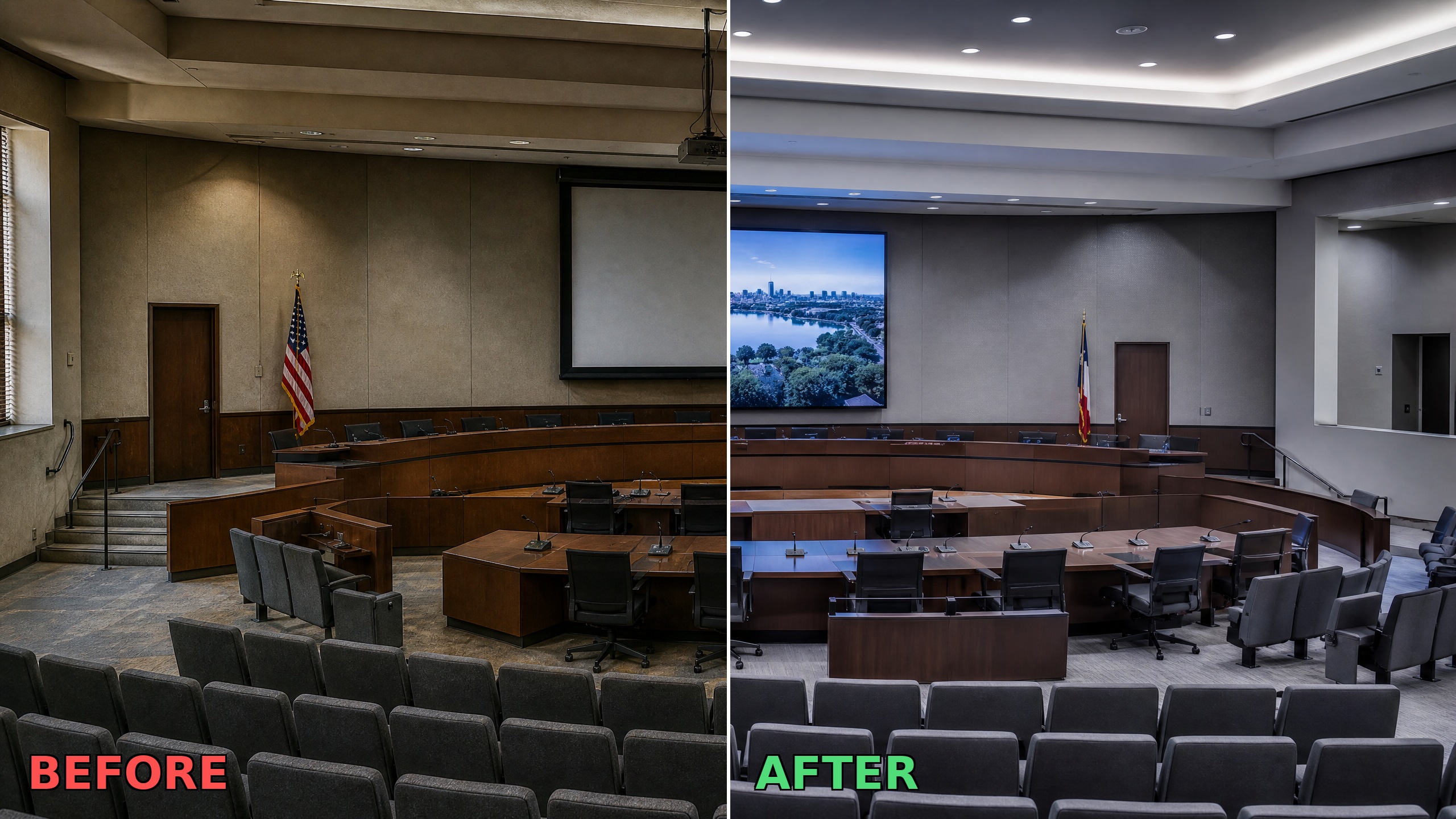
Municipal AV systems are easy to ignore until they fail publicly. A microphone that cuts out during a council vote, a display that can’t render a PDF from a laptop, a hybrid meeting where remote participants can’t hear the room — these are not minor inconveniences. They’re operational failures that happen in front of constituents, on the record. The challenge is that government AV systems rarely fail all at once. They degrade slowly. Equipment that was adequate five years ago quietly becomes a liability, and the people running meetings adapt around it until they can’t anymore. By the time the problem is obvious, it’s usually urgent. Here are five signs that your municipal AV system has reached that point. What Is a Government Audio Visual System? A government audio visual system is the integrated set of technologies — microphones, displays, cameras, audio processors, recording equipment, and control systems — that supports communication in public-sector spaces. This includes council chambers, courtrooms, public hearing rooms, administrative conference rooms, and emergency operations centers. Unlike corporate AV, government systems carry an additional requirement: they must perform reliably in public, often on the record, and frequently under scrutiny. Sign 1: Remote Participants Consistently Can’t Hear the Room Hybrid public meetings are now standard in most municipalities. If remote participants are regularly asking people to repeat themselves, or if your IT team has resorted to positioning a laptop near the podium microphone as a workaround, the system is not designed for hybrid — it was retrofitted for it. A properly designed government AV system routes microphone audio through a DSP (digital signal processor) that handles echo cancellation, noise reduction, and level normalization before the signal reaches the conferencing platform. Without that processing chain, the audio quality on the remote end is dependent on room acoustics and microphone proximity — two things you can’t control in a live public meeting. This is one of the most common signs that a system was installed before hybrid meetings became a requirement, not after. Sign 2: Evidence or Presentation Content Requires Adapters If presenting evidence, documents, or slides in a council chamber or courtroom requires a collection of dongles, adapters, or a specific laptop model, the system is not fit for purpose. Modern government AV systems use standardized input management — typically HDMI with USB-C and wireless presentation options — so any device from any presenter connects without a setup process. The adapter problem is more than an inconvenience. It introduces a failure point at the exact moment when content needs to display reliably. A presentation that fails to load during a public hearing or a trial is a procedural problem, not just a technical one. Sign 3: The Control System Requires Staff Training to Operate Municipal AV systems are operated by clerks, administrators, and elected officials — not AV technicians. If running a meeting requires a laminated instruction sheet, a dedicated staff member to manage the technology, or a call to IT before every session, the control system is too complex for the environment. Modern control systems present a single touchscreen interface that handles room configuration, source switching, microphone management, and recording with minimal interaction. A council member should be able to walk in, press one button, and have the room ready. If that’s not the current experience, the control layer needs to be redesigned. Sign 4: You Have No Reliable Record of Proceedings Many municipalities still rely on a single recording device — often a consumer-grade unit or a laptop running a conferencing app — as the official record of public meetings. That creates two problems: a single point of failure and no chain of custody for the recording. We design municipal recording systems to capture audio to at least two independent destinations simultaneously. The recording is time-stamped, access-controlled, and stored in a way that supports retrieval for public records requests, legal proceedings, or appeals. If your current setup doesn’t meet that standard, the integrity of your public record is at risk every time the system is in use. Sign 5: The System Can’t Support Live Streaming or Public Broadcast Public transparency requirements have expanded significantly in recent years. Many municipalities are now expected — and in some cases legally required — to make council meetings and public hearings available via live stream or local broadcast. If your current AV system has no integrated streaming capability, or if streaming requires a separate setup that isn’t part of the standard room configuration, the system is behind where it needs to be. Live streaming from a government AV system is not a feature add-on. It requires dedicated encoding hardware or software, a stable network connection with sufficient upload bandwidth, and camera positioning that captures the full council or courtroom. These are design decisions, not afterthoughts. Common Mistake: Upgrading Displays Before Audio When municipalities realize their AV system is aging, the first instinct is often to replace the displays. A new 85-inch monitor looks like a major upgrade, but it rarely solves the actual problems in the room. In our experience designing municipal AV systems, poor audio is the root cause of almost every meeting disruption. If remote participants can’t hear the council, or if the recording is unintelligible, a larger screen won’t help. The DSP, microphone array, and acoustic treatment should almost always take priority in a phased upgrade. We see many facilities spend their budget on video, only to realize the system is still functionally broken because the audio layer was ignored. Frequently Asked Questions How long does a municipal AV system typically last? Most commercial AV systems have a functional lifespan of 7–10 years before components begin to fail or fall behind current standards. Control systems and conferencing platforms tend to age faster than displays and speakers. A system installed before 2018 is likely due for evaluation, even if it appears to be functioning. Can a municipal AV system be upgraded in phases? Yes. Most government AV upgrades are phased to work within budget cycles. A common
Learn what IT managers and court administrators need to evaluate when upgrading a courtroom recording system — multi-channel audio, chain of custody, redundancy, and hybrid integration.
Effective use of audiovisual solutions can significantly enhance hybrid public meetings meetings for in-person attendees and remote participants.
Explore key discussions, insights, and takeaways from the League of Municipalities event and how they are shaping the future of local governance.
Discover how courtroom AV technology is transforming the justice system by enhancing communication, accessibility, and efficiency.