
Commercial Sound and Video Systems



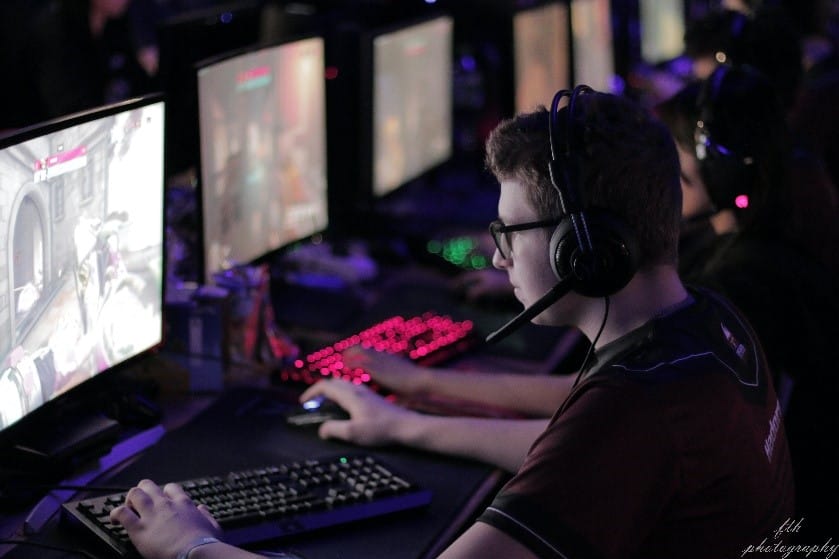
Esport AV equipment is the key to thriving in the booming world of Esports. The term “Esports” has recently been taking the nation by storm, leaving many wondering how they can participate in this new trending phenomenon. Esports is short for electronic sports and is targeted at all those gamers out there. A big part of why Esports is doing so well in today’s market is that anyone from anywhere can view tournaments and compete online.
Even though it is accessible to anyone with a WIFI connection, just like any other sport, you still need the proper equipment to participate. Whether you are trying to play for your school’s team or to play as an individual, it is essential to have the complete setup to play with confidence. Since Esports is fully online, the equipment needed to play will be primarily audio and visual solutions to not only enhance the AV experience but also compete and give it your best shot at winning an Esports game and representing your organization.
Modern AV solutions do much more than provide crisp visuals and clear sound—they empower players and teams to connect seamlessly, whether competing in-person or remotely. High-quality AV setups allow for real-time content sharing, smooth communication, and interactive experiences that mirror the intensity and excitement of traditional sports. From easy-to-use systems to setups that support both solo players and entire school teams, having the right AV equipment truly transforms how you play, learn, and collaborate in the world of Esports.
Arguably the most important piece of equipment to get started would be to invest in a high-quality monitor. A monitor is a crucial element of your Esport AV setup. This is because when playing for an organization such as your school, they will need to connect various computers to the monitor. The display monitor must be able to ensure smooth visuals at a quick speed.
What Makes a Great Esports Display Monitor?
When choosing a monitor for Esports, it’s not just about the screen size—it’s all about speed, clarity, and compatibility. You’ll want a display that offers low-latency signal switching to minimize lag, especially during those high-stakes moments when every millisecond counts. Modern Esports setups often demand monitors capable of handling 4K/120Hz or even 8K/60Hz resolutions with HDR support to match the latest gaming graphics and to keep visuals crisp and vibrant.
Flexibility is another key factor. The monitor should be easy to integrate with your existing gaming, streaming, and production hardware, ensuring a seamless experience whether you’re playing solo at home or competing as part of a school or collegiate team.
In Short: The right monitor will not only enhance your gaming performance but also make it easier for organizations to connect multiple devices for tournaments or live streams—keeping your team ahead of the competition and your fans glued to the action.
Practical Setup: Displaying Multiple Player Feeds in an Esports Arena
Let’s say you’re hosting a tournament in a school gym or community center, and you want to make sure everyone in the audience can follow the action from every player. Here’s a straightforward example of how you can set it up:
This type of setup is surprisingly accessible and ensures everyone—from the players to the audience and even the shoutcasters—gets the full, immersive Esport AV experience.
Signal scalers might not be the first thing that comes to mind, but they’re essential to keep your visuals smooth and sharp. When you have gaming devices running at different resolutions—think 1080p, 1440p, or even 4K—a signal scaler steps in to balance everything out. This handy tool converts and matches the output from various sources, so everyone sees the same high-quality visuals, no matter what they’re playing on.
Without a signal scaler, mismatched resolutions can cause lag, display errors, or stretched images, which can really throw off your game (and nobody wants to blame their loss on a blurry screen). With a scaler, your team and audience will always catch every detail, pixel-perfect, during intense matches.
When it comes to Esports events, there’s often a need for everyone—from players to the audience and even shoutcasters—to have a clear view of the action. This is where HDMI splitters step in as a handy tool. HDMI splitters allow you to take a single video signal from a player’s computer or gaming console and send it to multiple screens at once.
For example, an event might use splitters to display live gameplay on large audience monitors while sending the same footage to the commentators’ area. Referees and event officials can also use their own dedicated displays to keep an eye on the competition, ensuring fairness and instant replays as needed.
In addition to basic splitters, event organizers often turn to solutions like multi-channel HDMI matrix switchers (for managing lots of sources efficiently), HDMI over CAT cable extenders (for neat long-distance connections across a venue), and audio de-embedders (to pull game sound for PA systems or player headsets). These elements together ensure that everyone can watch—and hear—the matches clearly, contributing to a seamless and exciting Esports experience for players and spectators alike.
HDMI Matrix Switchers
When it comes to Esports AV setups, HDMI matrix switchers are the secret weapon for managing the action behind the scenes. Think of them as air traffic controllers—directing multiple video signals from PCs, gaming consoles, or even cameras to various displays around the arena, all without missing a beat.
Why does this matter?
Picture a tournament where each player’s game needs to be broadcast on overhead screens, sent to commentators at the caster desk, and streamed online for fans everywhere. An HDMI matrix switcher makes it possible to quickly route each feed wherever it’s needed, all with seamless transitions and zero noticeable lag.
Key benefits include:
Let’s say your venue has a main stage video wall, individual player displays, and a spectator area. With an HDMI matrix switcher, each of these zones can show exactly what you want—be it a solo player’s highlight reel, live gameplay from several competitors, or a split-screen view for shoutcasters.
In summary, HDMI matrix switchers are an essential piece of Esport AV kit, providing the control and flexibility required for high-energy tournaments and smooth broadcasts.
Microphones and cameras also play a huge role in the Esports arena. Being able to clearly hear and see teammates or what the competition is doing is a tactic that should not be overlooked. These features can also be used to add commentary for live streaming, enhancing the overall Esport AV experience and creating more engaging content for viewers and fans tuning in to watch and cheer on their favorite players.
No Esports AV setup is truly complete without impeccable sound quality—and that’s where audio de-embedders step into the spotlight. In the fast-paced world of tournament gaming, clear and focused audio can make the difference between chaos and seamless communication.
Audio de-embedders allow you to extract pure audio directly from HDMI video feeds. Why does this matter? For starters, it means you can route game sound, player chat, or even live commentary to dedicated speaker systems, PA setups, or player headsets—no messy workarounds required.
Here are just a few ways audio de-embedders can enhance your Esports production:
By integrating audio de-embedders into your AV system, you create a professional, distraction-free environment where every callout, cheer, and buzzer is delivered with precision—helping your team focus on the win, and your fans stay engaged from the first round to the final play.
Video wall processors are another valuable asset for any Esports environment. These handy devices allow you to transform multiple screens into one seamless display or showcase different content across several monitors at once. This means you can show live brackets, stream sponsor content, or feature team introductions all in one dynamic viewing area.
For tournaments or large gatherings, video wall processors help create an exciting atmosphere by delivering engaging visuals that are easy for both players and spectators to follow. Whether you’re announcing the next matchup, highlighting sponsors, or creating a hype moment before the finals, a well-integrated video wall setup ensures your AV system grabs everyone’s attention and keeps them in the loop.
Another essential component to consider for your Esport AV setup is the use of HDBaseT extenders. In large or professional gaming environments, it’s often necessary to transmit signals—like HDMI, USB, audio, and even device control—from one location to another without signal loss or cluttered cables snaking across the room. HDBaseT extenders let you send all these signals over a single CAT cable, allowing you to connect equipment across stages, control rooms, or different zones in a seamless and streamlined way. This not only keeps your setup looking clean and organized, but also ensures that every player and spectator enjoys crisp visuals and reliable connections, no matter the distance between devices.
All these pieces of equipment mean nothing unless you have access to a stable network source. A stable router and network is essential for Esports because a spotty network source can be the downfall of a competition and can be extremely frustrating.
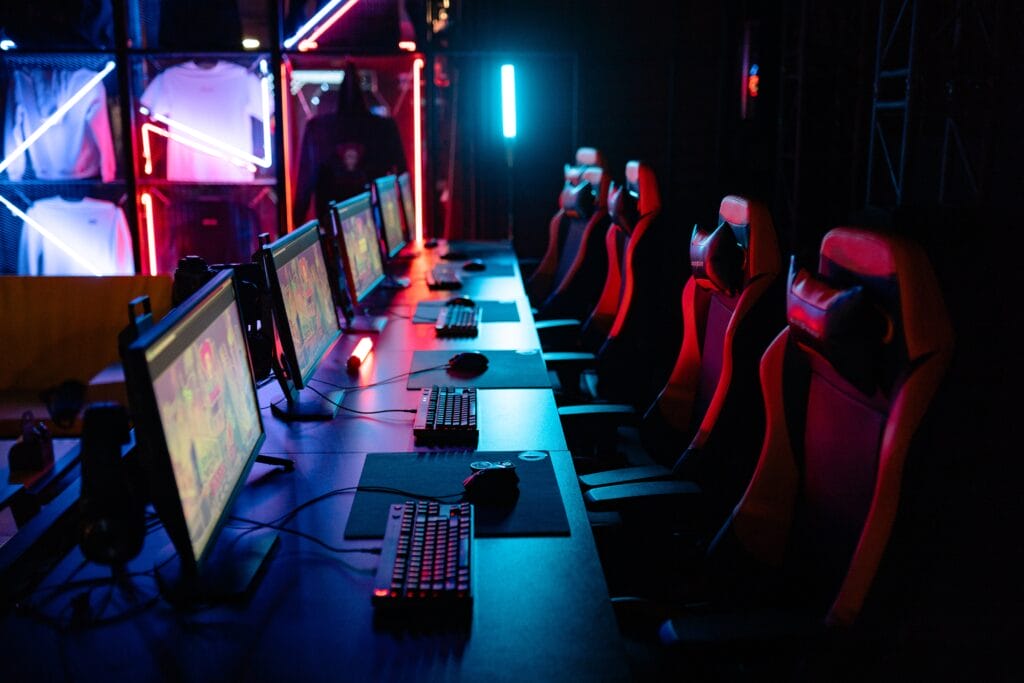
One of the great things about modern Esport AV solutions is how easily they can fit right into your current setup. Whether you already have gaming PCs, popular streaming equipment like Elgato capture cards, or a range of production gear from brands such as Logitech or Razer, most AV systems are designed to seamlessly connect without hassle.
This means you won’t need a complete overhaul—just the right cables, adapters, or a reliable switcher, and your displays, microphones, and cameras can work efficiently with your existing hardware. Many Esport AV components are plug-and-play, supporting common connections like HDMI, USB, or Ethernet, making the transition smooth for both new and experienced gamers.
If you’re setting up for a school team or an organizational event, you can rest easy knowing your investment will complement what you already have, saving you both time and money.
Let’s paint a picture: your school or organization is hosting a major esports tournament. Players are immersed in high-stakes matches, fans are crowded around huge displays, and commentators are narrating every big play for viewers both in-person and online. How do you ensure that all these moving pieces are seamlessly connected, with smooth visuals and crisp audio broadcast everywhere it matters?
Here’s how you can configure your AV equipment for effective signal routing in a tournament setting:
By combining these tools, you’ll create an arena where every play is seen, every sound is heard, and every second of action reaches your audience—wherever they are.
For gaming centers aiming to make a big first impression, a lobby video wall is a showstopper. Imagine guests being greeted by vibrant displays showcasing live matches, tournament updates, highlights, and sponsor content—all in real time. To achieve this seamless, dynamic setup, you’ll want to equip your venue with a few essential AV components:
How It Comes Together
With this configuration, you’ll be able not only to highlight ongoing games but also display leaderboards, instant replays, and sponsor ads dynamically—giving fans and visitors a taste of the excitement the moment they walk in. This setup isn’t limited to tournament days; it’s perfect for promoting upcoming events, hosting watch parties, or creating an immersive atmosphere every day of the week.
You might be wondering where all this top-notch Esport AV equipment actually comes to life. The answer? Pretty much anywhere intense gaming happens! AV systems are often deployed in a variety of key esports environments, such as:
In each of these areas, having the right AV setup ensures players and audiences alike get the best possible gaming experience.
When it comes to building an Esports AV setup, warranty and product support may not be the flashiest components—but they’re some of the most important. Imagine gearing up for a big tournament only to face a sudden technical glitch. Having equipment that comes with a strong warranty and reliable support can save the day, whether it’s a display that suddenly flickers or a microphone that fizzles out mid-match.
Reliable product support means that when issues arise (and let’s face it, technology sometimes has a mind of its own), you don’t have to scramble or stress. Instead, you get the help you need to troubleshoot or replace faulty equipment quickly, so your team can get back in the game with minimal downtime.
Top AV brands, known for their robust warranties, provide peace of mind for Esports organizations. This long-term security not only protects your investment, but ensures that you’re never left in the lurch when things get intense. Ultimately, choosing AV solutions with solid warranty coverage and ongoing support means your Esports program is set up for success—today and in the future.
In a rapidly evolving world of competitive gaming and technology, ensuring that your Esports set-up is optimized for peak performance is crucial. If your school or organization is looking to invest in high quality audio and visual solutions for their Esports team, contact CSAV Systems for a custom design setup. Our team can provide any of the services mentioned above and so much more. Call us at 732-631-8617 for a free estimate. We want to be on your team!